TinyMakerWifi

Open-source firmware that puts the palm-sized TinyMaker resin 3D printer on your WiFi - send models straight from the slicer, watch prints from any browser, and never touch the SD card again.

🧪 Try it live - the dashboard with a simulated printer Download firmware Read the manual GitHub Open my printer
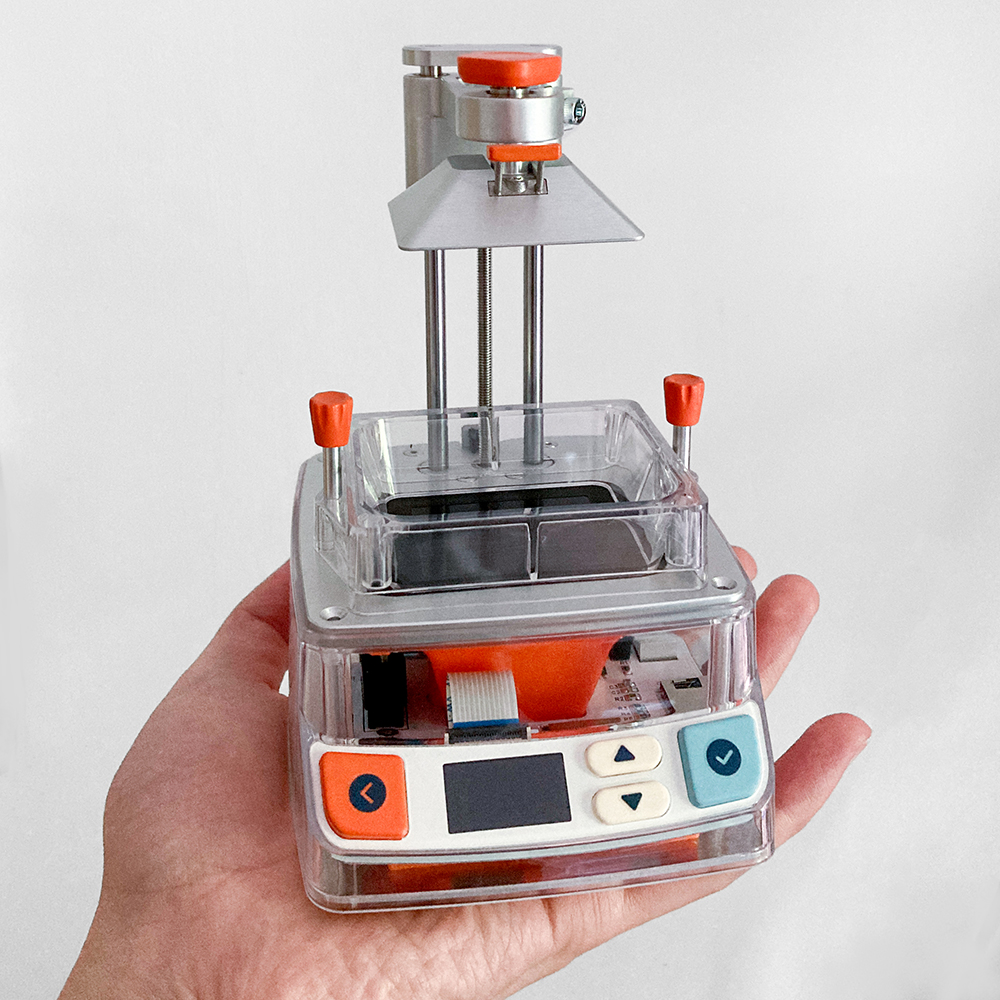
The palm-sized TinyMaker MSLA resin 3D printer
The printer - palm-sized, open source
The web dashboard during a print: live status, print controls and a real-time 3D render of the print
The dashboard mid-print - live 3D progress, controls, SD manager

What the firmware adds

WiFi in two minutes

First boot opens a setup hotspot - pick your network from your phone, done. No credentials in code, switchable off any time.

Send to printer from PrusaSlicer

The printer speaks the Prusa SL1 protocol: slice, press Send to printer, print. UVtools and plain SD import work too.

Slice in the browser

No slicer installed? The dashboard slices STL files itself - supports, raft, 3D preview - and works offline once the module is on the card.

Web dashboard

Live print status with pause/stop and a real-time 3D render of the print, SD manager, settings, backups - in any browser, light or dark.

Updates over WiFi

The printer checks for new firmware and installs it itself - from its own screen or the dashboard. Dual-partition safe.

Named resin profiles

One resin, one recipe: exposures, layer height, lift settings, density. Switching resin is one press instead of ten fields; more install from a library.

The vat, tracked

The printer estimates what is left in the vat, warns before a print that will not fit, and can pause mid-print for a refill.

Power-loss resume

A checkpoint on the SD card picks a print back up after an outage - answer the prompt at the machine or from your phone.

Phone notifications

A Telegram message when a print finishes, pauses for resin or is canceled - WhatsApp and Discord too (less tested). Home Assistant via MQTT with auto-discovery.

Exposure calibration

Cures an 8-bar test strip straight from the printer - each bar a different exposure, no slicer or SD file needed. Read off the best bar and dial in your exposure, no guesswork.

Boot animations

Pick the animation your printer plays at power-on, install new ones from the community with one click.
Lifetime counters

Total print hours and UV LED on-time (the LED ages by lit time) on the About screen and the dashboard - they survive updates and reflashes.

Backup & restore

Every setting and counter in one file. Keep it on the SD card and the printer offers to restore everything after a full reflash.

Offline first

Everything wireless can be switched off right on the printer - it then behaves exactly like the original, SD-card-only firmware.

Guided start

A getting-started checklist that ticks itself off, ? explanations at the tricky settings, light and dark themes, and an illustrated manual.

Get started

Flash once over USB - straight from your browser. Plug the printer in and open the web flasher (Chrome/Edge) - it fetches the latest firmware and flashes it, nothing to install. Prefer doing it by hand? firmware-full.bin is on Releases and the manual walks you through it.
Join the TinyMaker-Setup hotspot from your phone and pick your home WiFi.
Print. Send a model from PrusaSlicer or open tinymaker.local in a browser. Every later update installs wirelessly.

Community & services

TinyMaker Connectearly preview

Community model & boot-animation sharing - browse and send straight to your printer. Server by @Briadark: connect.tinymakerwifi.com

Facebook group

TinyMaker - Open source community - help, print results and firmware announcements.

Development

Source on GitHub · changelog · roadmap - contributions welcome.

The printer itself

TinyMaker is an open-source MSLA printer by TinyMaker3D (hardware & original firmware).

Bugs & ideas

Found a bug or want a feature? Quickest is the feedback form - 30 seconds, no account. Prefer GitHub? open an issue. Or just post in the Facebook group - we read everything.

Support the project

TinyMakerWifi is free and open source. If it makes your printing nicer, you can buy the maintainer a coffee.